
Deleting Line Items Received
0.3 min read
|This article guides you on deleting line items (UnReceive) in the received items.
If a receiving was completed incorrectly, you have the ability to delete line item quantities from Orders > Receiving Orders.
- Select the Order by clicking View.

- Click the Detail link for line item(s).

- Click UnReceive on the line item.
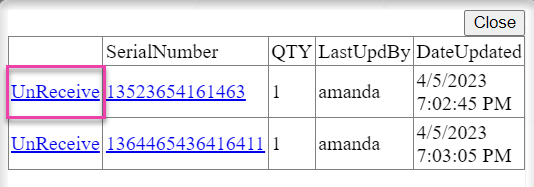
This will remove the full quantity from inventory.
If you need to re-receive a lesser quantity, you can do this by following the standard receiving process in the mobile device.
You cannot change the PO across integration until the inventory has been unpicked.
Was this article helpful?
Share additional feedback about this article